











Sign in

Save it on the go.
Use it at work.

Savewell keeps the posts you save for work in one library. Share from Instagram, X or TikTok, and AI pulls out the key takeaways, files them in your folders, and answers your questions at work, citing what you saved.

Start your library
Saved from X on the train, then the takeaways, ready at work.

Saved, then forgotten

You save the good stuff. A system design thread on X, a founder’s talk on Instagram, a pricing playbook someone posted on TikTok.

Then it sits there, split across apps, between a pasta recipe, a beach and a pair of sneakers.

When a problem at work needs exactly that thread, you can’t find it, or you’ve forgotten you ever saved it.

Savewell keeps what you save for work in one place, already read and summarised, ready to search and to ask.

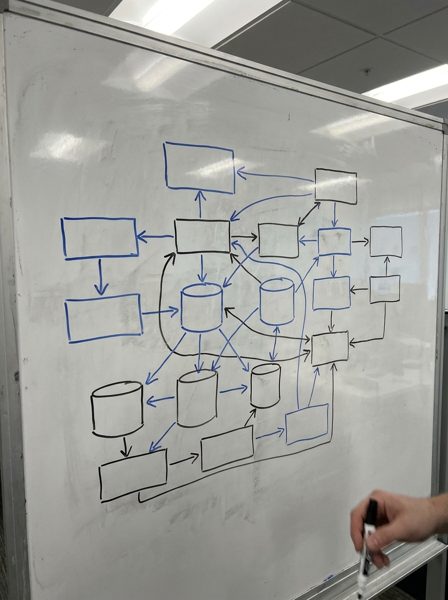
Code on a laptop A plate of pasta A whiteboard of system diagrams A beach A server room A pair of sneakers A team meeting A slice of cake A speaker on stage A dog Sticky notes planning a launch Brunch
Everything you saved, in one feed.

How it works

First, share it from the app you’re in.

Mara Lyu @mara_builds · 2h

We cut our Postgres p95 from 900 ms to 40 ms with one index. No new hardware, no cache layer. Here’s the whole story.

ReplyRepostLikeShare

Saved to your librarySummarizing and filing it in the background.
x.com
Open SavewellDone · closes in 3s

Then it’s read and filed for you.

Dashboard latency chart dropping after an index

Thread · x.com

How we cut Postgres p95 from 900 ms to 40 ms with one index

A slow dashboard query was scanning a 40M-row events table. A composite partial index matching the filter and sort turned the scan into an index-only read, without new hardware.

Key takeaways

  • Run EXPLAIN (ANALYZE, BUFFERS) on the slowest query before adding anything.
  • Put equality filters first in a composite index, the time range last.
  • A partial index on recent rows kept the index small enough to stay in memory.
FolderEngineeringTagspostgres · indexing · performance

Then ask it, back at work.

Our dashboard queries are slow. What should we try?

Start by finding where the time goes: run EXPLAIN (ANALYZE, BUFFERS) on the slowest dashboard query to see if it’s scanning the whole table 1.

  • Add a composite index with equality filters first and the time range last; a partial index on recent rows keeps it small 1 2.
  • For heavy charts, read from a rollup table refreshed every few minutes instead of raw events 3.

3 sources

  1. How we cut Postgres p95 from 900 ms to 40 ms with one indexThread · x.com · Engineering
  2. Indexes that actually help: a practical talkTalk · youtube.com · Engineering
  3. Rollup tables for fast analytics dashboardsArticle · Engineering

Built for how you work

Videos play right inside the app.

YouTube, Instagram reels, TikTok, X, Vimeo and Loom, without leaving your library.

Your own folders decide the filing.

Make a folder, say what goes in it, and new saves land there. The AI only creates a folder when nothing fits.

The same library on phone and laptop.

Save on iPhone or Android, pick it up in your browser at work. Changes sync live.

Your coding agent can search it too.

Connect Claude Code, Cursor or claude.ai: add one address, approve it in your browser, and it can search, read, save and reorganise your folders.

It keeps working when you’re offline.

Saves wait on your phone and upload as soon as you’re back online.

Questions

Can I get it on the App Store?

Not yet. The iPhone app is in TestFlight testing and Android is in internal testing. The web app works today, here, in your browser.

Which apps can I save from?

Any app with a Share button: Instagram, X, TikTok, LinkedIn, YouTube, Safari, Chrome. You can also paste a link or write a note.

What does the AI write for each save?

A clear title, a summary of two or three sentences, three to six practical takeaways, tags, and the folder it belongs in.

How does Ask answer my questions?

Only from what you saved. It finds the relevant saves by meaning and by keywords, then answers with numbered sources you can open.

Who can see my library?

Only you. Each library is private to its account. Agents you connect can search, read, save and reorganise your folders, but can’t delete your saves.

Can I use it with Claude Code or Cursor?

Yes. Add the server address from AI agents in the app, approve it in your browser, and your agent can search your library while you work. Step-by-step setup.

Does it work without a connection?

On your phone, yes: saves wait on the device and upload when you’re back online. Search and Ask need a connection.

Start your library as

You’ll choose a password next, then share your first post.